

Epson Smart Panel empowers users to effortlessly command their Epson wireless printers and scanners directly from their mobile device, transforming it into a robust mobile command center. This innovative application offers a truly seamless experience, simplifying everything from the initial setup process to ongoing monitoring and daily operational tasks for your Epson products, ensuring you maintain full control at your fingertips.
Effortless Device Setup
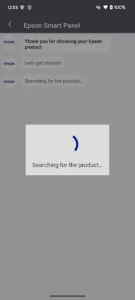
Connecting new Epson wireless printers or scanners to your network and mobile device is streamlined with this intuitive application. It guides users through each step, making what could be a complex process remarkably simple, allowing for quick configuration and immediate readiness to print or scan without needing a computer. The platform ensures a smooth onboarding experience, getting your devices up and running in minutes.
Intuitive Control Hub
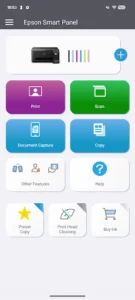
Beyond setup, the application serves as a comprehensive control panel for your Epson devices. Users can initiate print jobs directly from their mobile device, adjust settings for scans, or even perform maintenance tasks like nozzle checks and head cleaning. This centralized management capability provides unparalleled convenience, allowing you to manage various functions with just a few taps.
Real-time Status Monitoring
Staying informed about your printer’s status is crucial, and this tool excels at providing immediate updates. It displays essential information such as ink levels, paper status, and any potential error messages, allowing users to proactively address issues before they disrupt their workflow. This constant oversight helps prevent unexpected interruptions and ensures your devices are always ready when you need them.
Personalized Workflow Creation
The experience extends to customizing how you interact with your Epson products. Users can create personalized actions or shortcuts for frequently performed tasks, suchs as scanning documents directly to cloud storage or printing specific templates. This feature significantly enhances efficiency, tailoring the app’s functionality to individual needs and saving valuable time on repetitive operations.
Enhanced Mobile Productivity
Ultimately, this application is designed to boost productivity by bringing full control of your Epson wireless devices to your mobile environment. Whether you’re at home, in the office, or on the go, the ability to manage printing, scanning, and device maintenance remotely ensures a flexible and efficient workflow. Epson Smart Panel truly elevates the utility of your Epson products, making mobile device management an indispensable part of your daily routine.













Write a review